
|
||||||||||||||||||
|
||||||||||||||||||
|
| ||||||||||||||||||
| ||||||||||||||||||



























We are so proud to provide these !!
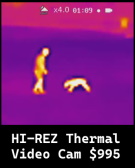
An excellent thermal video camera for under $1,000 !!
|
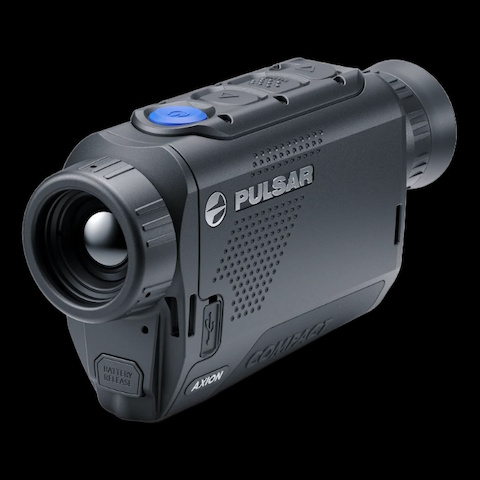
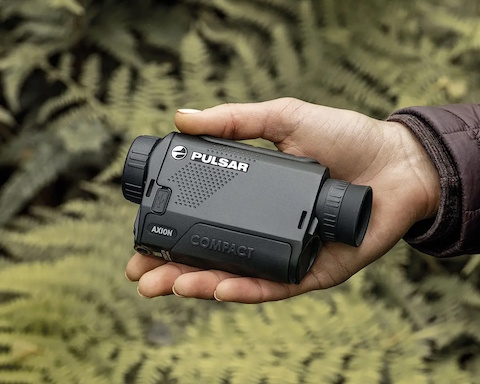
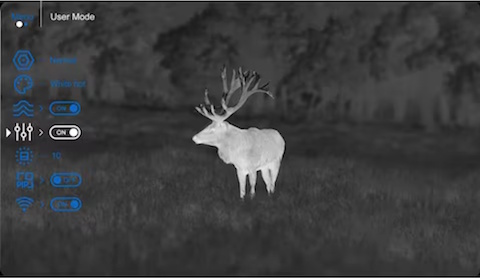
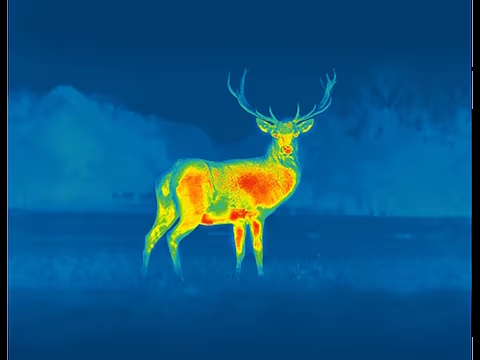
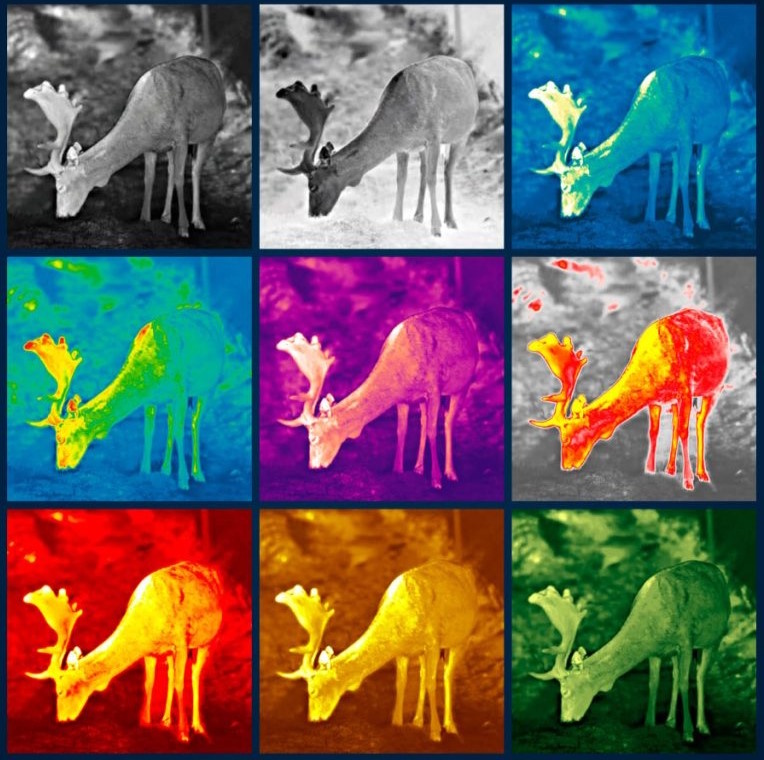
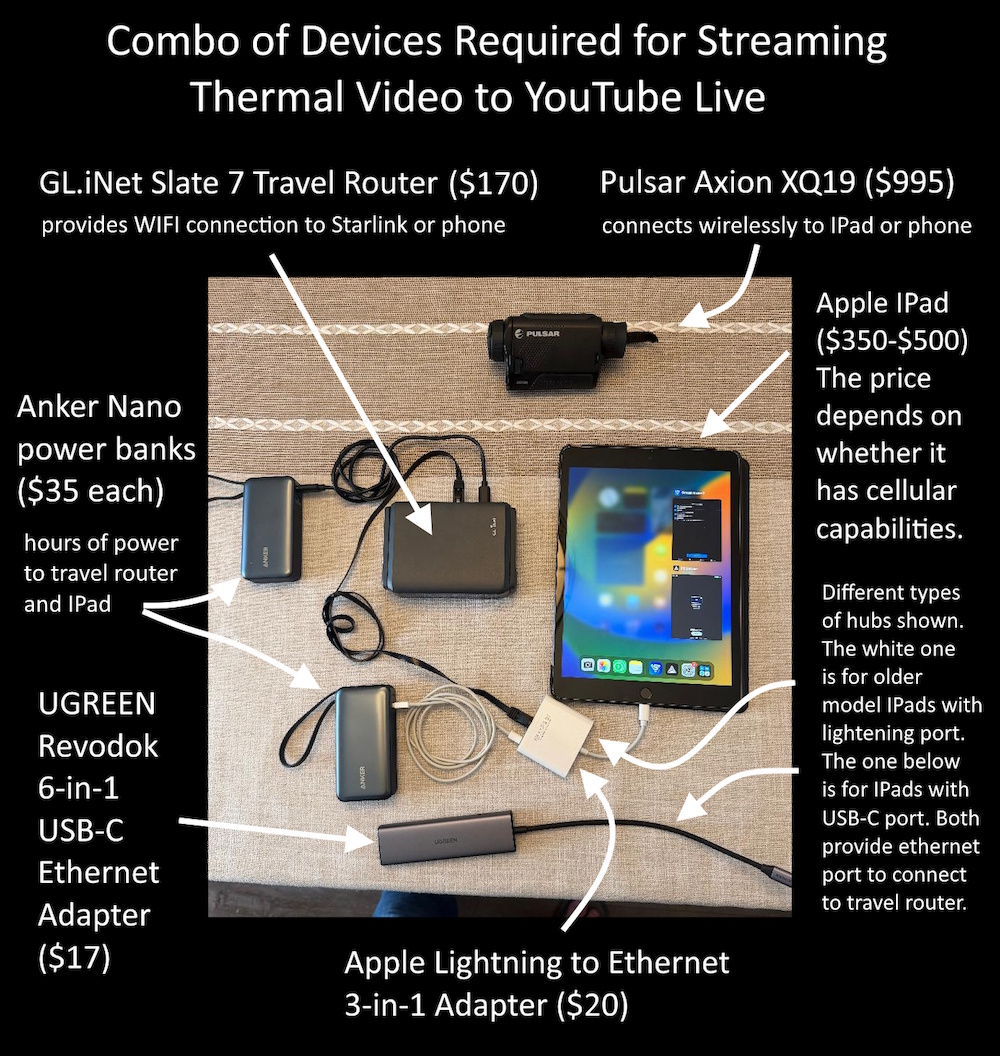
The BFRO was the first organization to figure out how to livestream thermal video from a handheld thermal imager to YouTube Live over Starlink satellites using small portable cheap devices that are within price reach of anyone nowadays. It is exciting for many reasons. It is also one of very few cool things that have become less expensive over time rather than more expenisve ...
It required a lot of experimentation to figure out what would work and what would not work for this purpose. In the process of experimentation we figured out that this can be accomplished with any type of thermal camera that has built-in WIFI for streaming to a phone or tablet, not just Pulsars. All European made handheld thermal cameras and higher-end units from Taiwan can do the same trick.
If the thermal
camera has built-in WIFI then there will always be a corresponding app for phone or tablet to receive the video feed for monitoring purposes. These dedicated apps for the thermal camera do not connect to YouTube Live. For that you need a second app installed on the phone or tablet (described below).
We know this will work with every type of IPad (made in the past 10 years) but will not work with every type of Android tablet, unfortunately.
The phone/tablet apps for receiving the video feed from the thermal camera will allow you to monitor the video feed on a phone or tablet, but you don't need to do that. The IPad can be folded up in a cover after you darken the screen. The IPad can stowed in a backpack as long as it is still running and connected to the other devices in the backpack by short cables.
The connection to YouTube Live is accomplished with a second free app on the phone or tablet -- Prism Live Studio.
The Prism app is made for livestreaming, in various ways. It works with YouTube Live, among other options. And among other things it can capture whatever is on the screen of the IPad and stream it to YouTube Live. This is why it is better to use a full size IPad rather than a phone or IPad mini. You are not transmitting the original video from the thermal camera. You are transmitting the screen of a different app on the phone or tablet that is monitoring the thermal camera feed.
The original high resolution image is being recorded flawlessly by the thermal camera itself, but you are sending a live screen capture of an app screen. Therefore you will be transmitting more detail if you are sending a larger screen than what you would see from the capture of a smarphone screen or mini IPad. The smaller screens send a lower resolution image that will be blurry when seen on a bigger screen.
In theory you could do it with your phone rather than an IPad, but then you would need a second phone as your WIFI hotspot to the Internet (where there is cell service).
You will find it very helpful to question an AI chat bot to provide instructions for making the connection to YouTube live with the Prism app. That will provide clear instructions for getting yourself a specail API key from YouTube, which you only need to do once. It's tricky to set up but it works, and it can all fit in a backpack. Little LED lights will be visible on some of the devices but there will be no light escaping from a backpack. The only thing illumindated part of the whole system will be the eyepiece of the thermal camera, because of the viewfinder you need to look through. There are rubber orifice eye pieces to make that more stealthy. You can be totally dark while doing this.
The video feed connections work like this:
The thermal camera transmits a live video feed to the tablet via the camera's built-in WIFI capability.
Digest that for a moment: The camera and IPad are connected by WIFI, and NOT by Bluetooth. The Bluetooth will be needed for connecting a wireless mic so you can send super clear outdoor audio along with your thermal feed. The clear sound via YouTube Live adds a whole other dimension for an audience. More about that at the bottom.
The thermal camera occupies the IPad's own WIFI system. The IPad cannot connect to anything else by WIFI while connected to the thermal camera. So there needs to be a wired connection from the IPad to a separate WIFI transmitter device, called a "travel router".
The best one for the price is the GL.inNet Slate 7 travel router. The IPad can only connect to the travel router through an ethernet port. The IPad does not have an ethernet port, so there needs to be an adpater called a "hub".
There are different hub devices depending on the port of the IPad. Older IPads have a lightning port. On all new IPads it is a USB-C. You would pick the type of hub that fits your IPad port. All these hubs will have an ethernet port as an output. For that reasons you need a short ethernet cable to connect the hub to the travel router. See image above which shows what all these devices look like and how they are connected with short cables.
The GL.iNet travel router in extender mode provides its own WIFI connection to a smartphone or Starlink router. Again, you need two different WIFI connections because the tablet is using it own WIFI to connect for the camera. There's no way around this. The camera, for example, cannot be connected directly to a Starlink or directly to a travel router because the video feed needs to be received by an app on a phone or tablet before it can be sent out over the Internet.
If you are in an area with reliable 5G or strong LTE then you don't need the travel router. You only need the tablet with cellular ability. Whereas if you will be off-the-grid (or somewhere with less than 5G or five bars of LTE) then you will need a Starlink router nearby.
The GL.iNet Slate 7 travel router is powerful. It allows you to walk roughly 100 yards away from the Starlink dish while maintaining a live connection to the Internet.
If the tablet does not have cellular ability but there is strong cell service around there, then the travel router can use a smartphone's personal hotspot for WIFI to the internet.
Those are the most reliable, cheapest, and most wireless ways to make the jump from a little thermal camera in your hand to the Internet and YouTube Live.
We anticipate that many ranchers and farmers would find this technology helpful. We said the same thing about thermal drones but that's much more expenisive ($7,000) and flying drones apparently scares a lot of people. Whereas, this whole live-streaming-thermal system on a handhelf level totals around $1,500, depending on whether you have great cell service in your region. If you don't have great cell service then you need a Starlink dish.
You will want to know ballpark figures for Starlink service. It gets cheaper all the time, but as of Spring 2026 the prices have fallen below these thresholds:
The cheapest equipment (satellite dish and router and cables etc. -- everything you need except the big batteries) is now less than $200.
The cheapest Starlink satellite service is now less than $50 per month. At that lowest pay rate the quality of the video signal is still as good as the most expensive Starlink dishes, but your video transmissions might get pushed aside during peak hours. You must accept that you are a second-class user.
But cheer up! You probably won't be using it during peak hours anyway!
The cheapest equipment (Starlink Mini) must remain stationary and immobile for a few minutes (2-6) before locking onto some Starlink satellites.
The image quailty of the video feed is the same between the cheapest dish and most expensive dish. The most expensive equipment is all about maintaining that satellite connection while moving on the roof of a vehicle (not in a backpack)
The expensive Starlink dish for a vehicle roof is larger than even the standard size Starlink dish for home roofs. It has different engineering because the dish has to connect to so many more satellites. I will refer to that as the "in-motion" package, as opposed to the "portable" package.
The Starlink Mini is portable. You can easily carry it around like a laptop, but you need to stop moving to actually use it. If you are walking around with a Starlink Mini in your backpack then you will spend a few minutes setthing it up on the ground and propping it up to aim to the right direction in the sky ... and then you will be waiting a few more minutes for the system to boot up and scan the sky and lock onto satellites. That's what you gotta do to with the smallest and cheapest Starlink package.
On the other end of the price scale is the "in-motion" vehicle package which can be livestreaming audio and video continuosly from a moving vehicle roof. If you have a thermal camera and backpack with all the devices described in this article, you can stop the vehicle and then walk or run anywhere within a hundreds yards of that vehicle while still livestreamig. There's no messing around. You are livestreaming whether you are driving or parked.
That most expensive package costs $2,000 for the equipment. The montly cost for the moving-vehicle-enabled package is $165 per month.
One tantalzing thing about this most expensive package is how well it is said to work with tree obstructions around while the vehicle is moving. It maintains a connection through partial tree canopy.
There are many people reading this who will see the benefit for their own small business of being available by phone wherever they go, as a business expense. If your business requires you never be off-the-grid, and/or you want to be able to share the grid with many people nearby, then there are more reasons to justify the cost than occassional squatching.
Your monthly cost remains the same if it is just you using it, or two dozen people at a campground using it simultaneously. This is why we are always so happy to have people on BFRO expeditions with their own Starlink dishes of any type. Many people can make calls or do FaceTime through a Starlink simultaneously while sitting around a campfire.
Monetizing this capability: In early 2026 some BFRO investigators figured out how to livestream video to YouTube Live from a thermal DJI drone. When they did that there was a chat window running that allowed people on YouTube to make comments. The YouTube Live stream was quickly shared with many people, which led to many people making comments. Some people wanted their comments to stand out so they paid for a SuperChat which made their comments and questions more prominent. By the time the YouTube Live session with thermal drone was over, the drone pilot had earned a few hundred dollars through SuperChat fees -- not bad for a few hours of squatching!
ADD SOUND TO YOUR LIVE THERMAL FEED
In the interest of audience appeal and monetization ... you will want to add very clear audio to your thermal video feed, so your audience can hear distant howl or knock responses. This also has to be done indirectly with a different combo of devices.
If you do not connect a bluetooth mic system to the IPad then your livestream from the Prism Live app will be carrying the sound from the built-in microphone on the IPad. But that won't help you because the IPad will be safely stashed in a backpack.
You can tell Prism to accept a bluetooth microphone that is wireless and does not need a dongle connected to the IPad port. You need an intermediary bluetooth transmitter that excepts an external lav mic by wire.
The intermediary bluetooth transmitter is the Alead LiveMIC2 Bluetooth Wireless Mic. It is available on Amazon for $74.
You need an external mic plugged into the Alead LiveMIC2 that can fit inside the enclosed ear muffs of another device -- amplified earmuff headphones for hunters. The extermal mic to plug into the Alead device in the RODE SmartLav+ Lavalier Condenser Mic. It is available through B&H camera for $69.
The amplified earmuff headphones to insert the little mic in between is the Soridn Supreme Pro-X. It is available on Amazon for $329. If the gel seals of the ear muffs are pressed together they will create a chamber that is big enough to hold the RODE SmartLav inside. The speakers inside the headphones provide the amplified audio to the lav mic. There will be a wire protruding out of the headphones when pressed together, but the gel seals will prevent moist air from getting inside the chamber if the muffs are held together with rubber bands.
The RODE lav mic is neither weatherproof nor sensitive to distant nature sounds, but it is definitely sensitive enough to be set next to small speakers of earmuff handphones. The earmff headphones have their own microphoens that are both weather resistant and sensitive to hear distanct howls and crunching of footsteps around a camp site. These headphoens are made for hunters.
Below you will find images of these three devices that you will need if you want to add very sensitive audio to your very sensitive thermal video feeds.
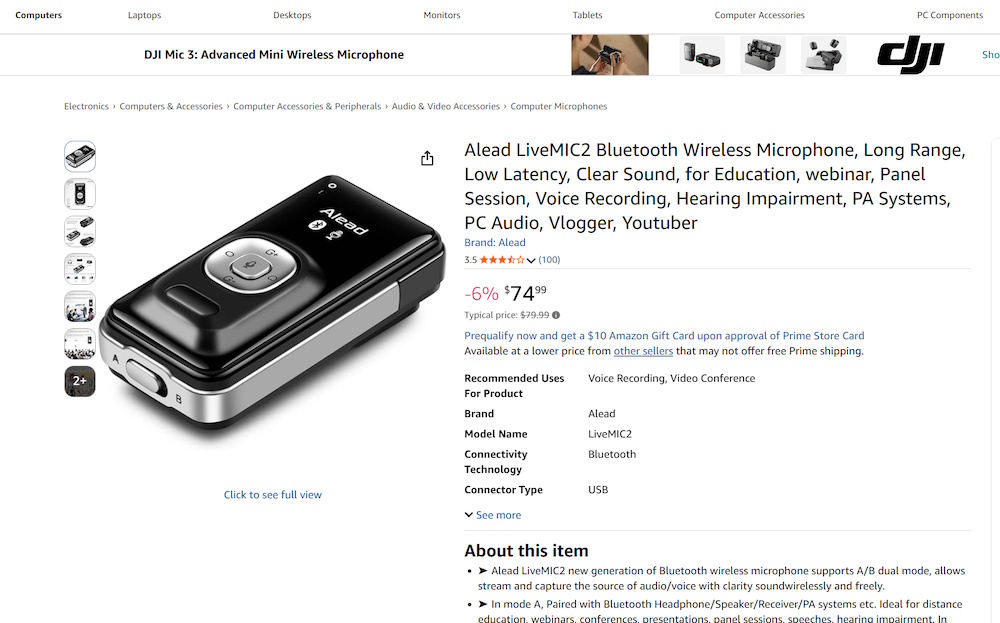
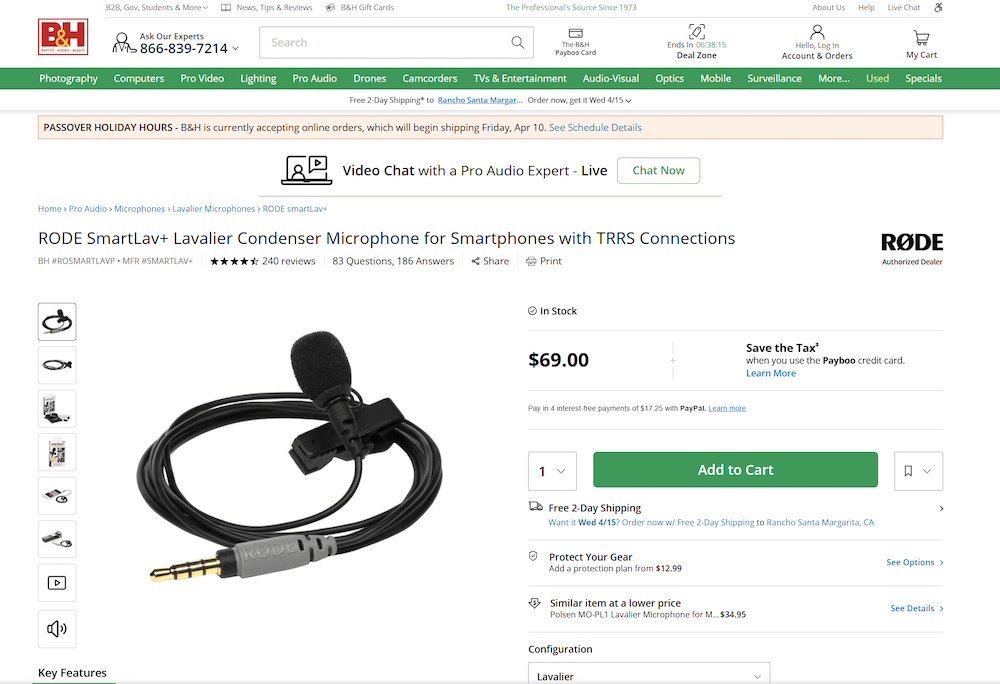
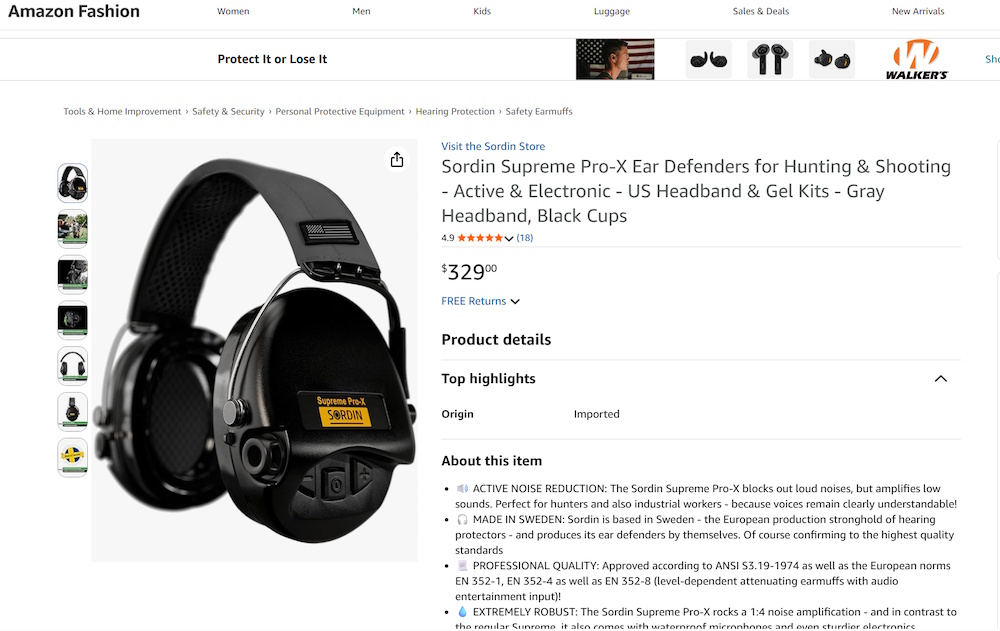
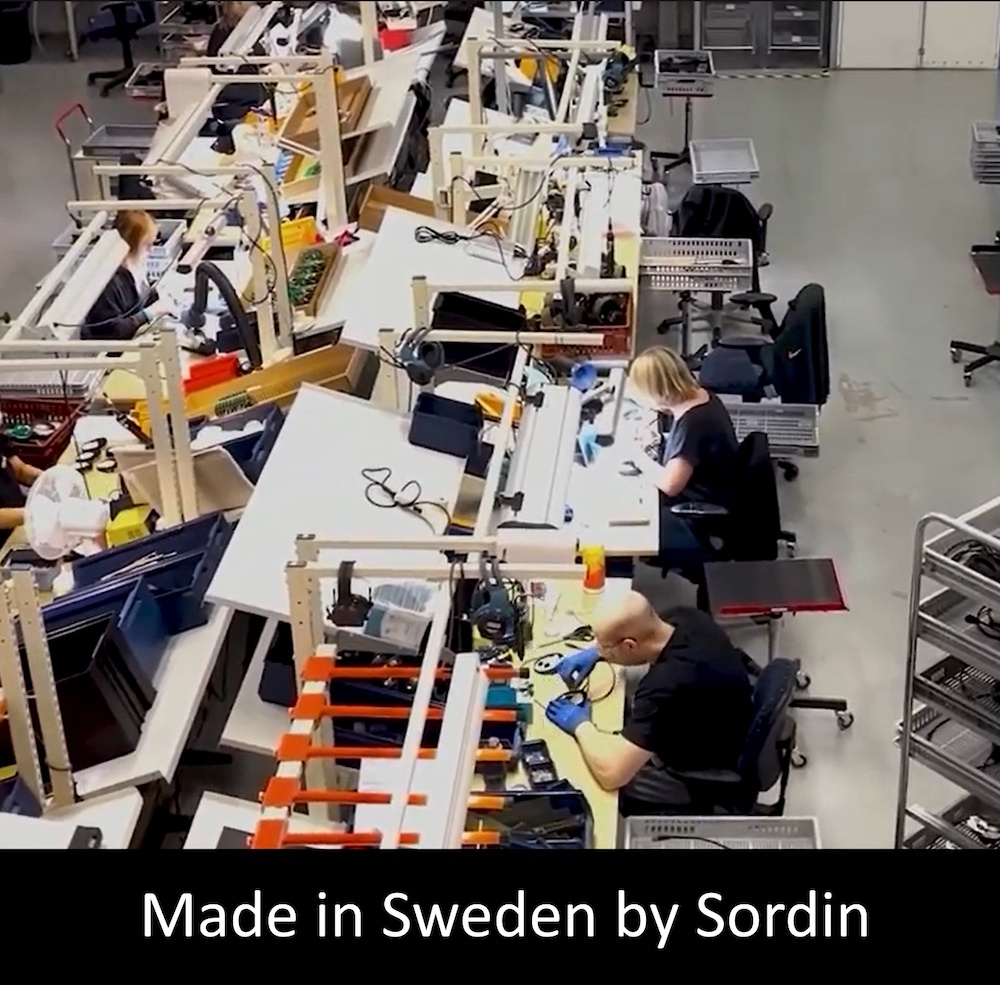
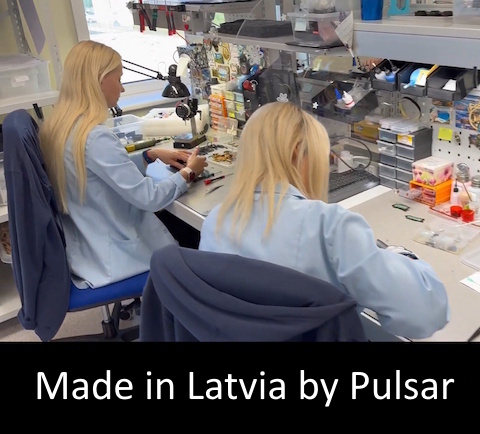
One good thing about having a thermal camera made in Lativa and an outdoor microphone system made in Sweden: Those factory workers are not going to make products that cannot handle cold rainy weather. Microphones are especially sensitive to moisture. You will ruin a regular microphone in the wet night air unless it is designed to handle those conditions. The earmuff style headphone microphones made for hunters by Sordin in Sweden are the ONLY sensitive outdoor micrphones made for those conditions. Their sensitivty can be increased with buttons on the headphones. In "hunter mode" as opposed to "shooting range" mode, they will automatically amplify faint sounds around you.
To clarify, you don't wear the Sordian headphones on your head when using them for livestreams. You use the earcups to surround a lapel mic that is connected to a bluetooth transmitter. That is how you make the jump from the heaphone mics to the Prism app livestream carrying your thermal video feed.
Some BFRO expedition organziers will be offering to waive attendance fees for people with thermal drones and Starlink dishes that will allow them to livestream thermal video from a drone via YouTube Live during the expedition. Some organizers will do the same for people with in-motion Starlink dishes and all the other devices for livestreaming handheld thermal video with clear audio. The handheld configuration with microphone feed will allow an expedition attendee to set up audio and video surveillance of their own tent or nearby woods, and then allow lots of people watch and listen for movement after they go to sleep. You could wake up in the morning to a whole bunch of texts and phone messages to let you know that you got great video of a bigfoot while you were asleep in the tent.
Here's the cost comparison: The package for a thermal drone is around $7,000, with no onoing costs. That is without the Starlink connection when you are camping somewhere with great cellular service.
Compare that cost to the top-of-the-line in-motion Starlink option, The costs for the best Starlink option is less than $4,500:
- $1,500 for the handheld thermal video camera and accessories that will connect to YouTube Live via Starlink.
- $500 for the microphone devices that provide sensitive audio to the thermal livestream to YouTube Live.
-
$2,000 for the rolling "in-motion" Starlink dish for a vehicle roof.
- $165 per month for the special Starlink
service for moving vehicles.
That is less than $4,500 dollars to have the rolling vehicle system available for the summer months. You can pause the billing for Starlink service for the months that you are not using it.
It will cost roughly $2,500 for a thermal+audio+ Starlink system that must remain stationary on a trail or at your camp. That will work well if your main objective is to monitor your own camp kitchen, and let thousands of other people do the same. Many of them will pay for SuperChats during those hours so you will be earning some money while you are sleeping.
To give you an idea of what you can do with these devices and Starlink equipment, watch this video about an upcoming event in September 2026 outside Randle Washington. You are invited to participate in this event if you have this gear. Let us know!
.
.
.
.
.
.
.
.
.
.
.
.
.
.
.
.